

Chat settings
Enable AI Chat for your organization, choose who uses it, and give the assistant your own instructions.
From this screen you decide whether your organization uses AI Chat, who has access, and how the assistant behaves.
Enable it and give access
- In the sidebar, open Configuration and go to AI Chat.
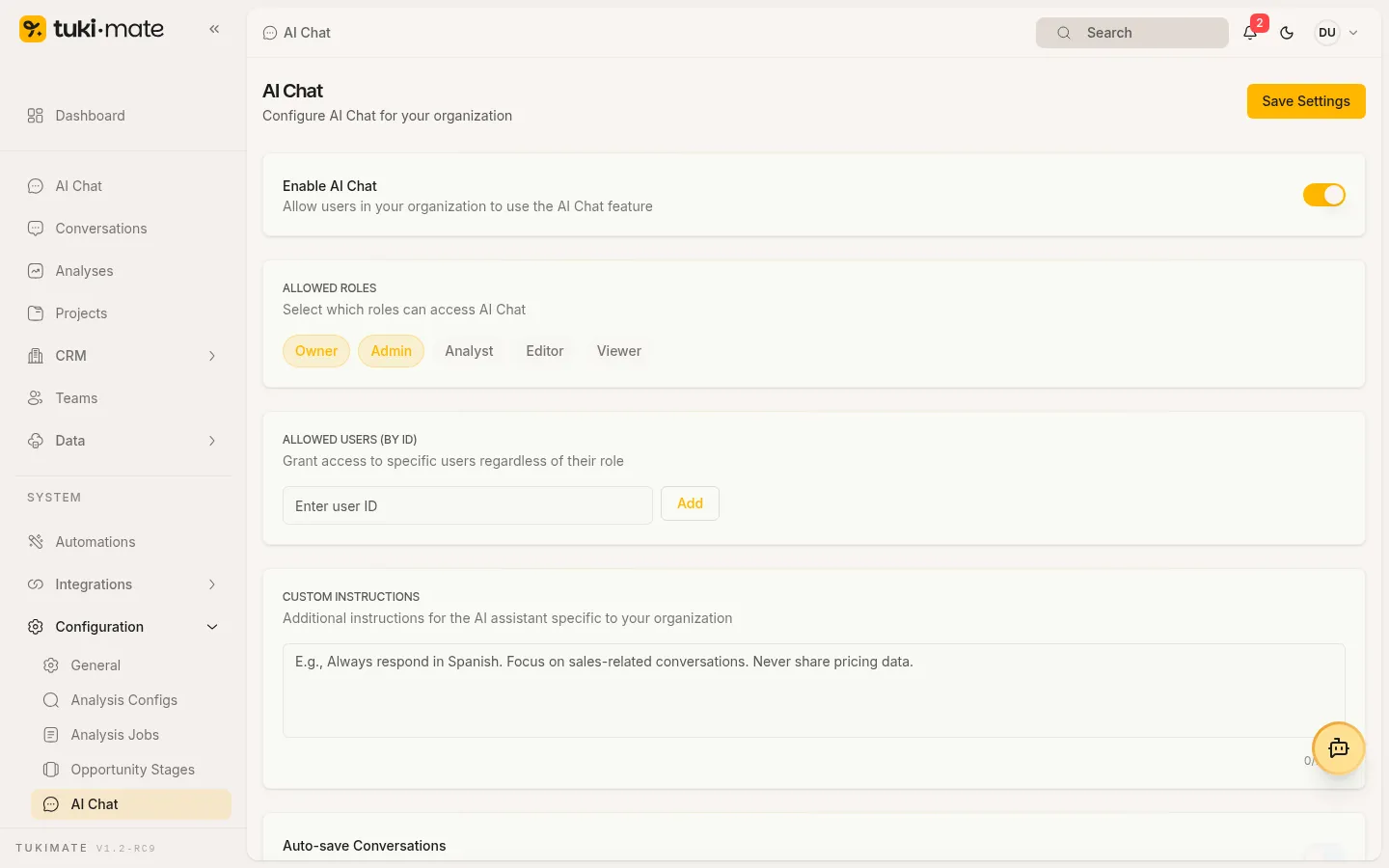
- Turn on Enable AI Chat.
- Under Allowed Roles, check the roles that can use it (Owner, Admin, Analyst, Editor, or Viewer).
- Optional: under Allowed Users (by ID), enter a person’s ID and click Add to give them access regardless of their role.
Adjust the assistant
- Under Custom Instructions, write guidance specific to your organization, for example “Always respond in Spanish” or “Focus on sales-related conversations”. You can use up to 2000 characters.
- With Auto-save Conversations you decide whether chats are saved for later history and review.
- Click Save Settings.