

Activity
See who changed what in your organization, filter the events, and look at the detail of each change.
The Activity Log records the changes made to your organization’s entities (conversations, contacts, opportunities, and more) and security events.
See the events
- In the SYSTEM section of the sidebar, open Activity.
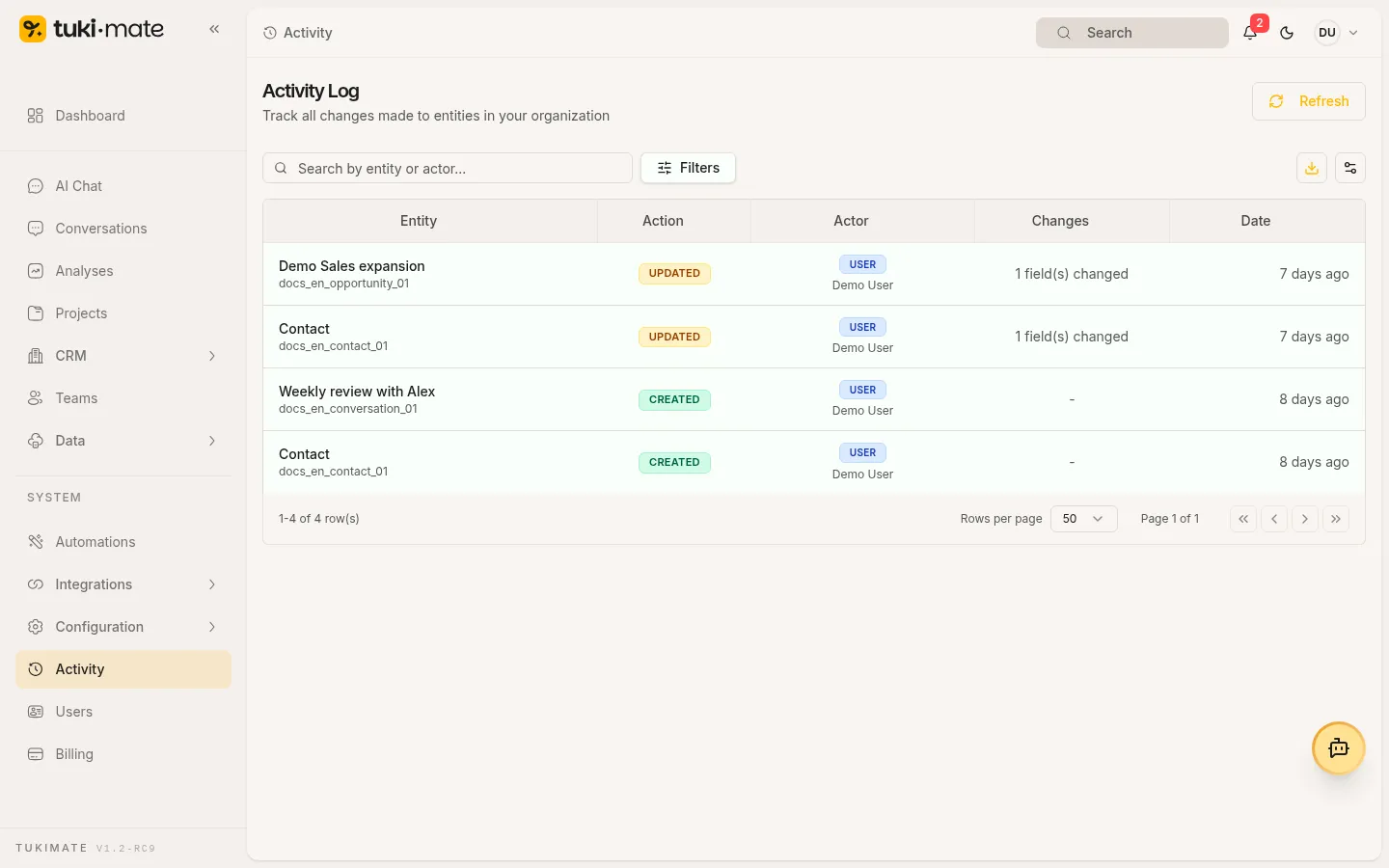
Each row shows the affected Entity, the Action (Created, Updated, Deleted, Merged, Restored, or Purged), the Actor, how many fields changed under Changes, and the Date.
- Type in Search by entity or actor… to narrow the list.
- Click Refresh to pull the most recent events.
Filter
- Click Filters.
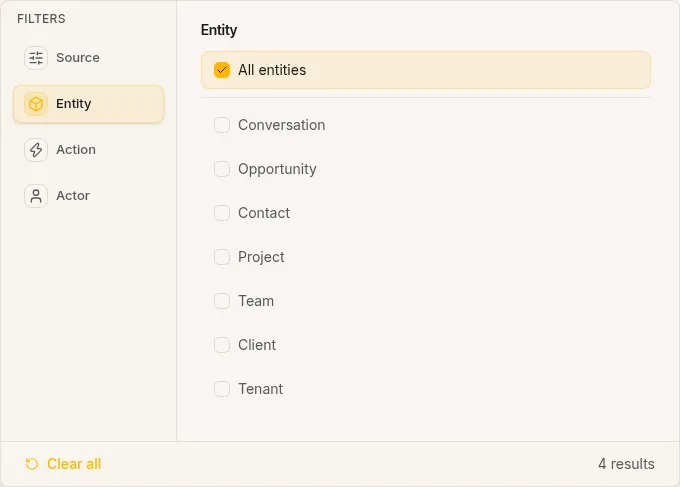
- Combine Source (Entity changes or Security events), Entity, Action, and Actor. Active filters stay visible and are cleared together with Clear all.
See the detail of a change
- Click a row to open Activity Details.
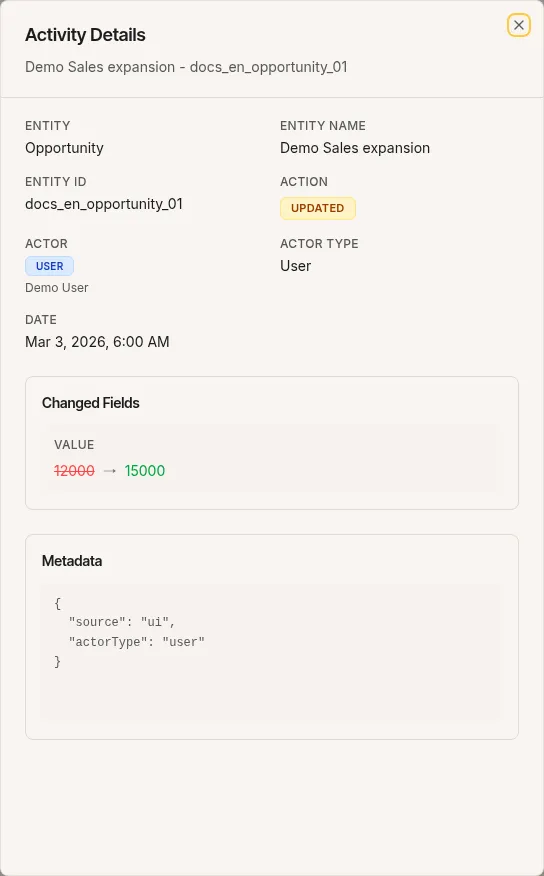
The panel shows the entity, the action, who did it, and when. Under Changed Fields you see each field’s previous and new value, and under Metadata the technical context of the event.
Export
- Click Export (the download icon next to the filters) to take the events with you.