

General settings
Name, language, timezone, and preferences for your organization.
The general Settings screen gathers your organization’s settings. What you save applies to all its members.
Available settings
- In the SYSTEM section of the sidebar, open Configuration and go to General.
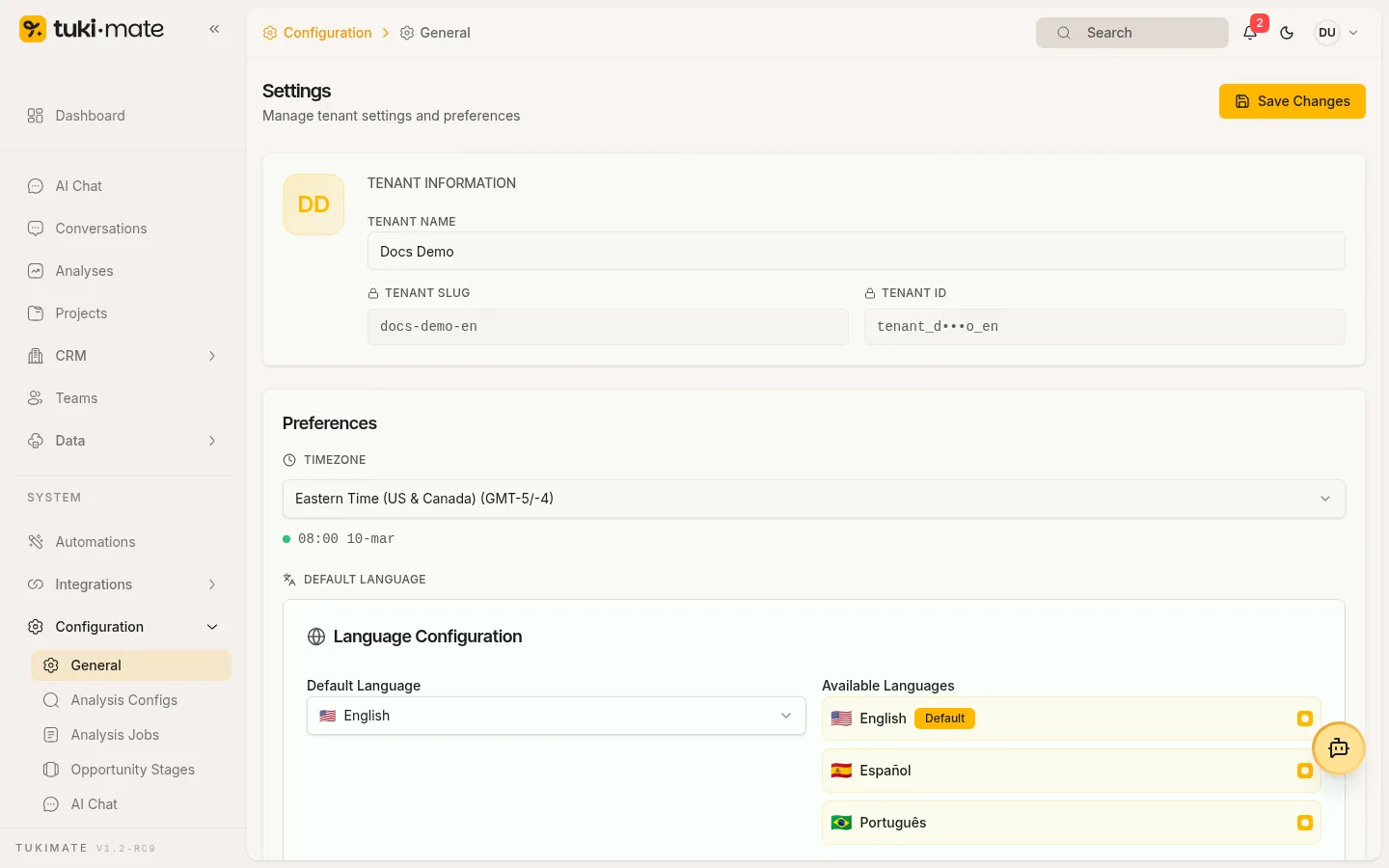
- Name: how your organization appears in the interface.
- Default language: Spanish, English, or Portuguese for new members.
- Timezone: the base for dates and times across the app.
- Date format and analysis language: how dates render and which language the AI works in.
Save to apply the changes.