

Sources
Define the available conversation sources: where each conversation comes from.
A source says where a conversation comes from (a Google Meet meeting, an audio file, an email, and so on). It shows as a data point on each conversation and as a filter in the list.
See the sources
- In the sidebar, open Data and go to Sources.
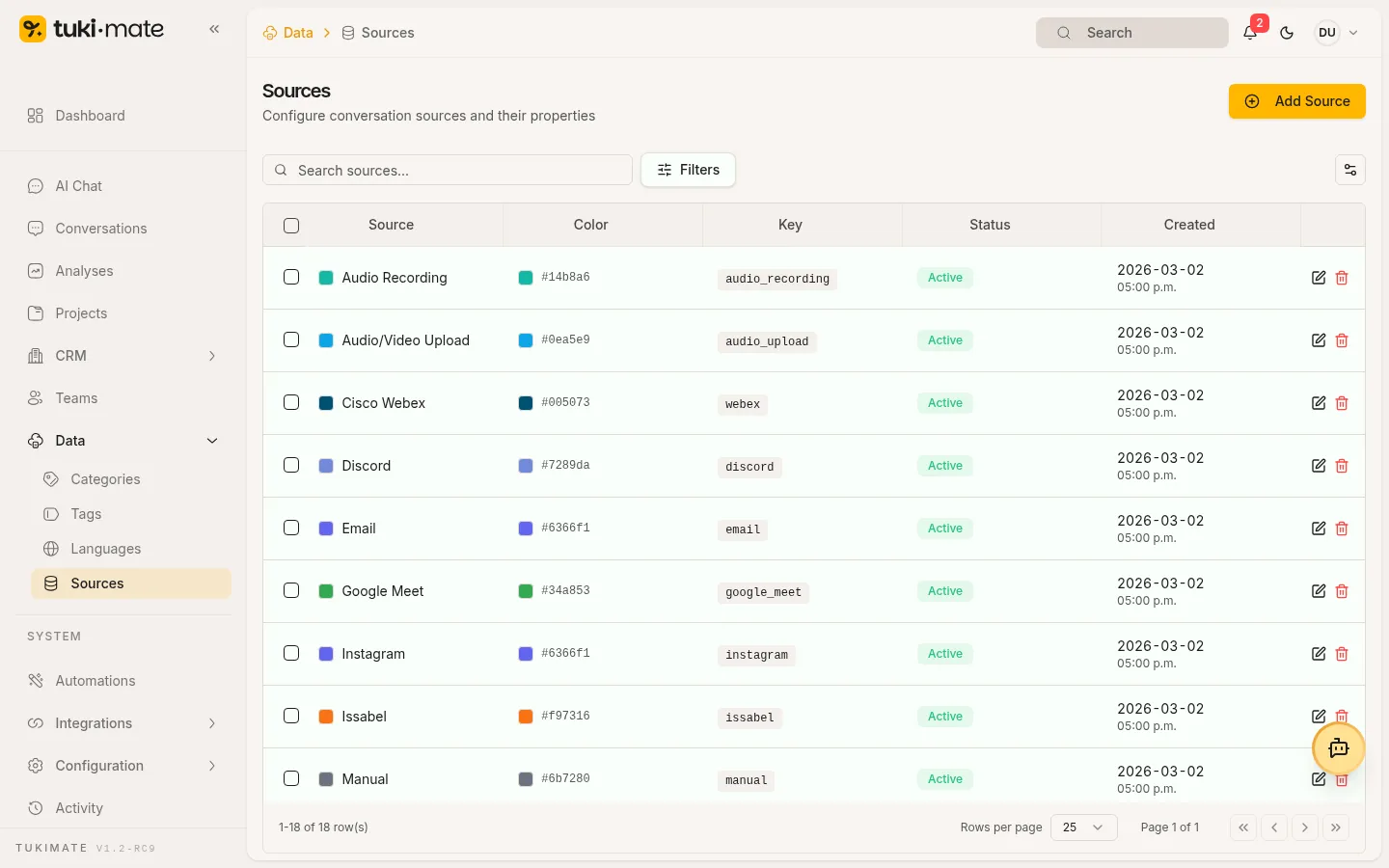
The table shows the Source name, its Color, its Key, its Status, and when it was Created. TukiMate comes with several sources already created, such as Audio Recording, Cisco Webex, Discord, Email, and Google Meet. Use Search sources… and Filters to find one.
Add a source
- Click Add Source.
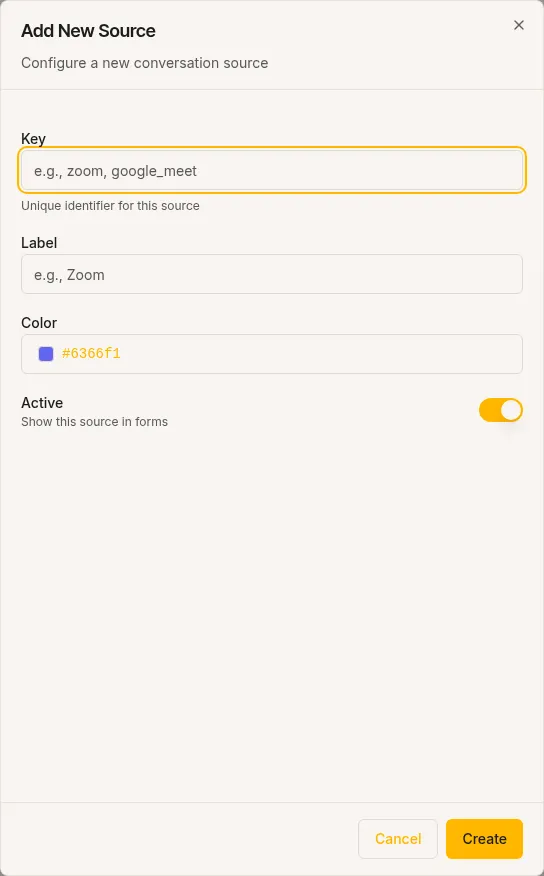
- Type the Key, a unique identifier for the source (for example,
zoomorgoogle_meet). - Type the Label, the name people will see.
- Pick a Color.
- Leave Active on so the source shows in forms.
- Click Create.
Edit or delete
At the end of each row there is a button to edit the source (Edit Source) and another to delete it.