

Opportunity stages
Set up the stages of your sales pipeline: name, order, color, and probability.
Stages are the steps an opportunity moves through in your sales pipeline. Opportunities are organized by the stage they are in.
See the stages
- In the sidebar, open Configuration and go to Opportunity Stages.
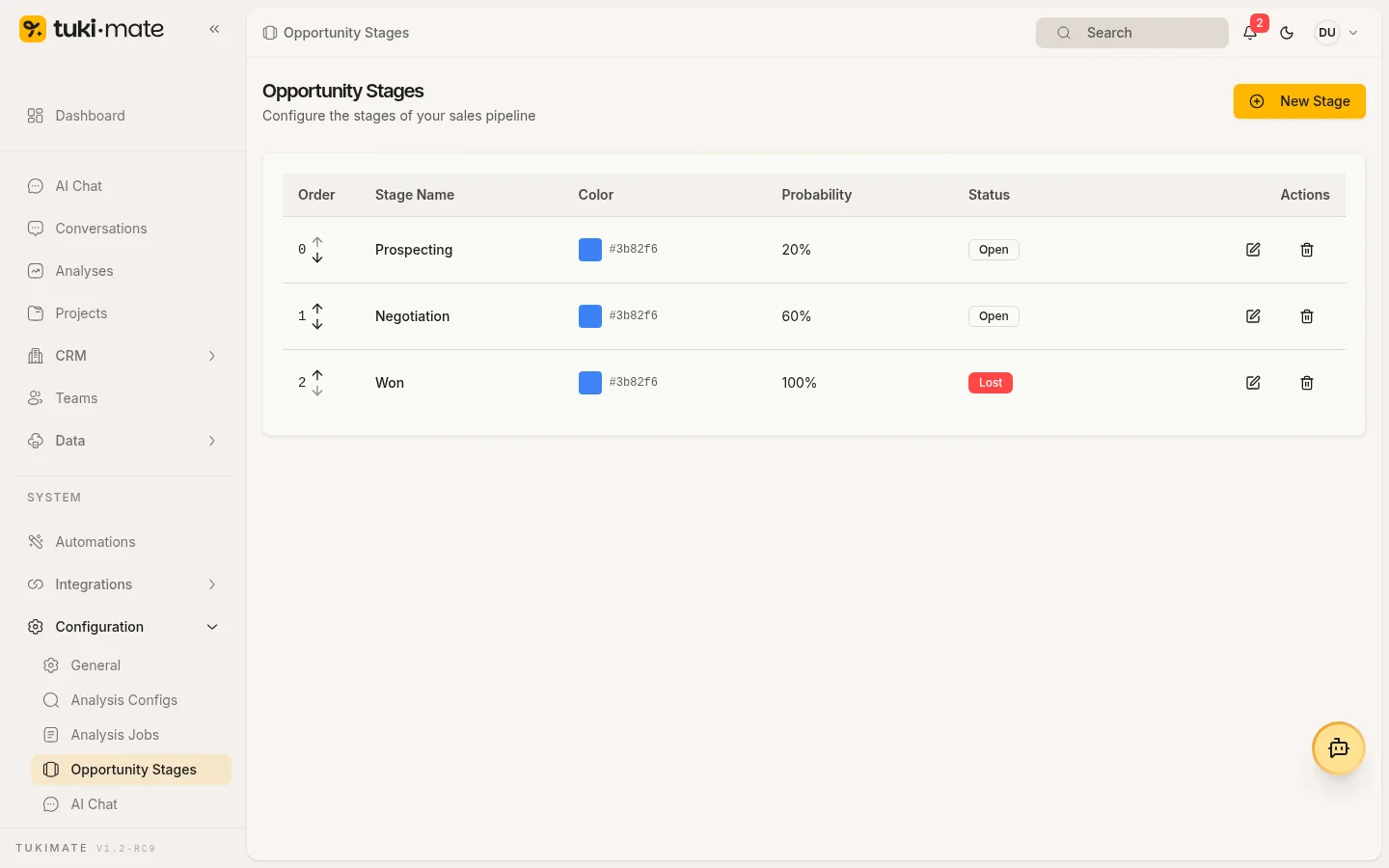
The table shows each stage’s Order, Stage Name, Color, closing Probability, and Status. The arrows next to the Order number move a stage up or down, and the Actions buttons edit or delete it.
Create a stage
- Click New Stage.
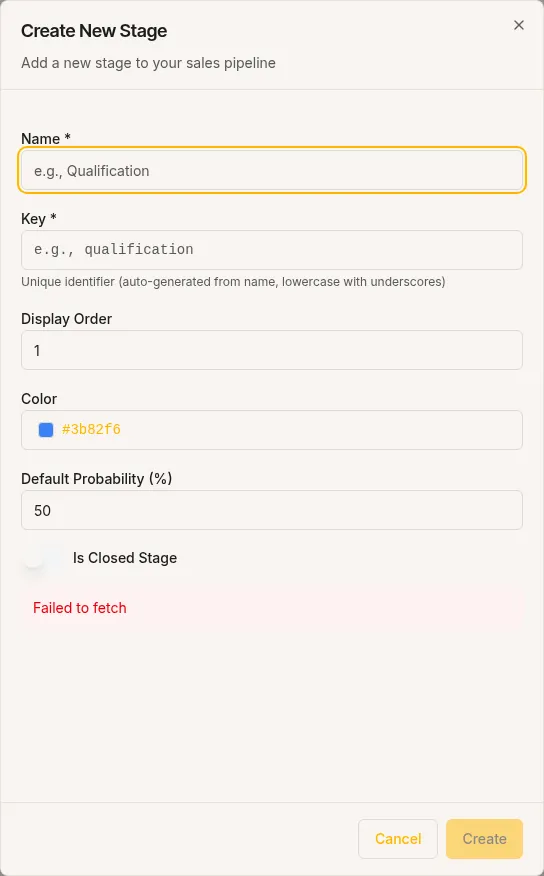
- Type the Name. The Key, a unique identifier, is generated from the name.
- Adjust the Display Order and pick a Color.
- Set the Default Probability (%) that opportunities in this stage will have.
- Turn on Is Closed Stage if the stage marks the end of the process (for example, a won deal).
- Click Create.