

Dashboard
Understand General View and My Activity: counters, recent lists, and what needs your attention.
The Dashboard is the first screen in TukiMate. It summarizes what happened in your organization and what you have pending.
Pick the view
- In the sidebar, open Dashboard.
- Switch between the General View and My Activity tabs.
General View
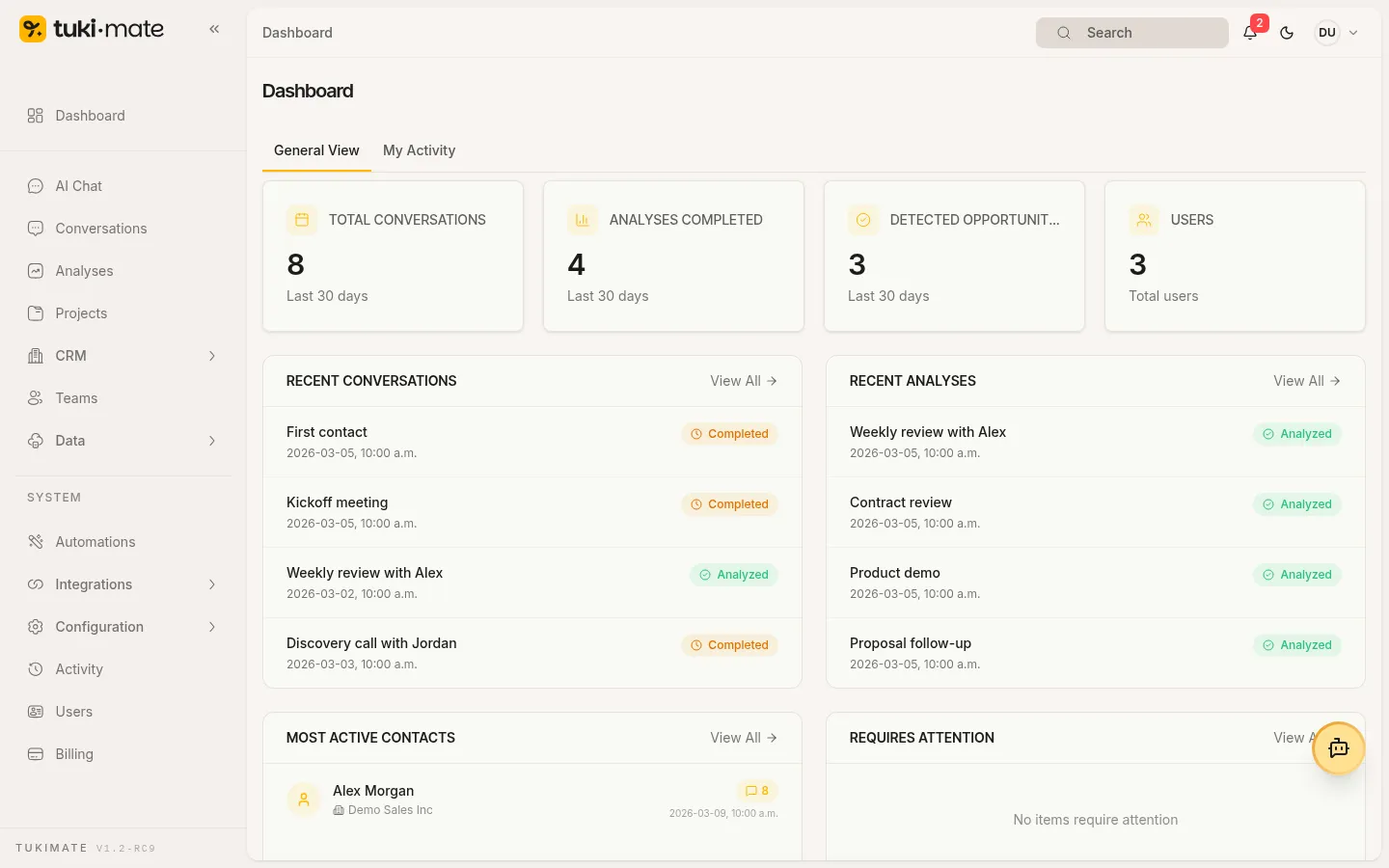
At the top are four counters: Total Conversations, Analyses Completed, and Detected Opportunities (all for the last 30 days) and Users (your organization’s total).
Below are four lists. In each one, View All takes you to the full screen:
- Recent Conversations: the latest conversations, with their date and a status tag (Analyzed, Pending, or Completed). Click a row to open it.
- Recent Analyses: the latest finished analyses.
- Most Active Contacts: the people with the most conversations in the last 30 days.
- Requires Attention: analyses that Failed, conversations with Negative Sentiment, and a Pending Action worth reviewing.
My Activity
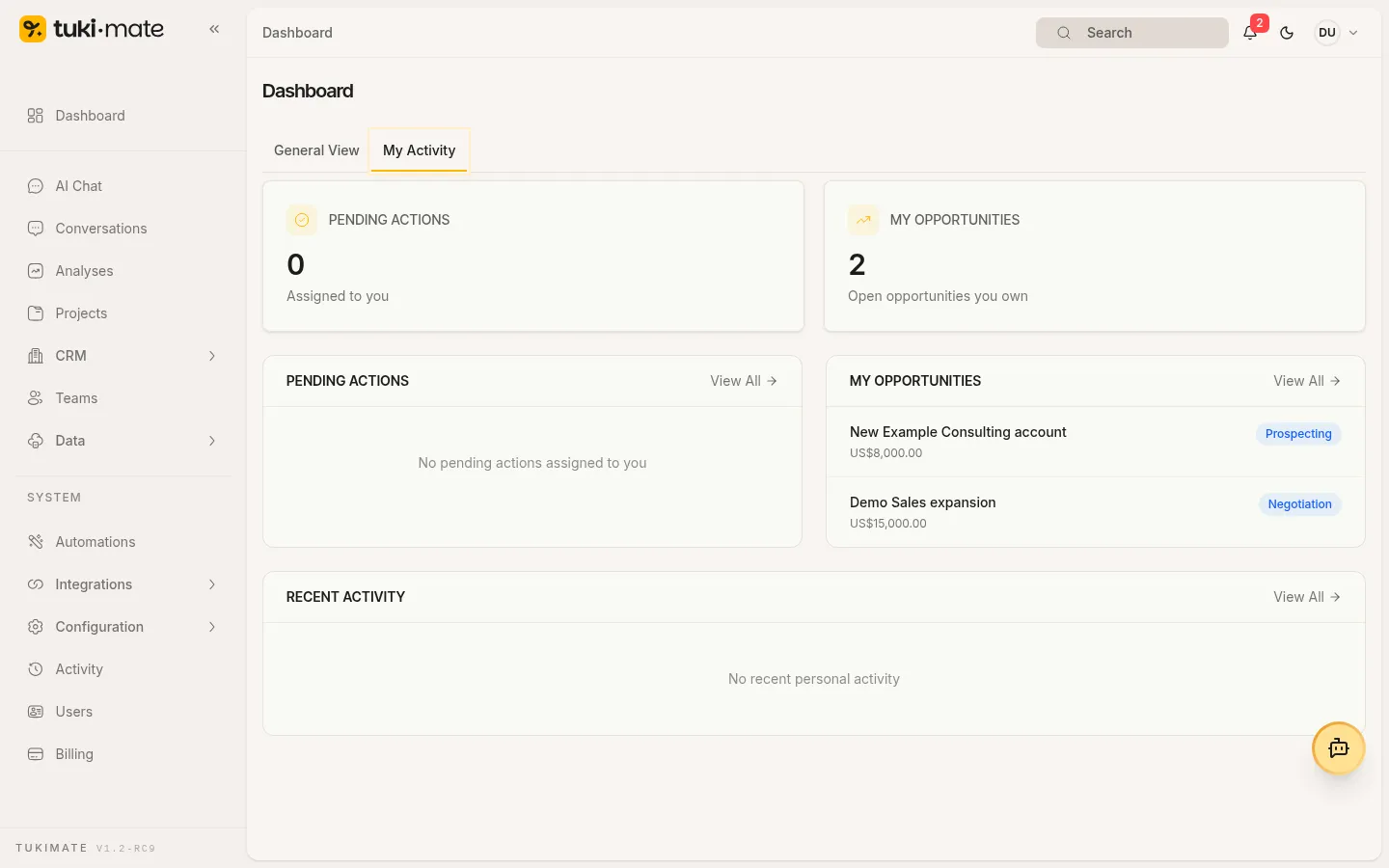
This view shows only what is yours:
- Pending Actions: the actions Assigned to you. If there are unassigned actions where you are listed by name, they appear as Suggested for you with a Claim button.
- My Opportunities: the Open opportunities you own, with their stage and value.
- Recent Activity: your comments and the updates on your opportunities.