

Webhooks
Get real-time notices in another system when something happens in TukiMate, such as a finished analysis.
A webhook makes TukiMate send a notice to a web address of yours every time an event you chose happens. It lets other systems react without having to query TukiMate all the time.
See the webhooks
- In the sidebar, open Integrations and go to Webhooks.
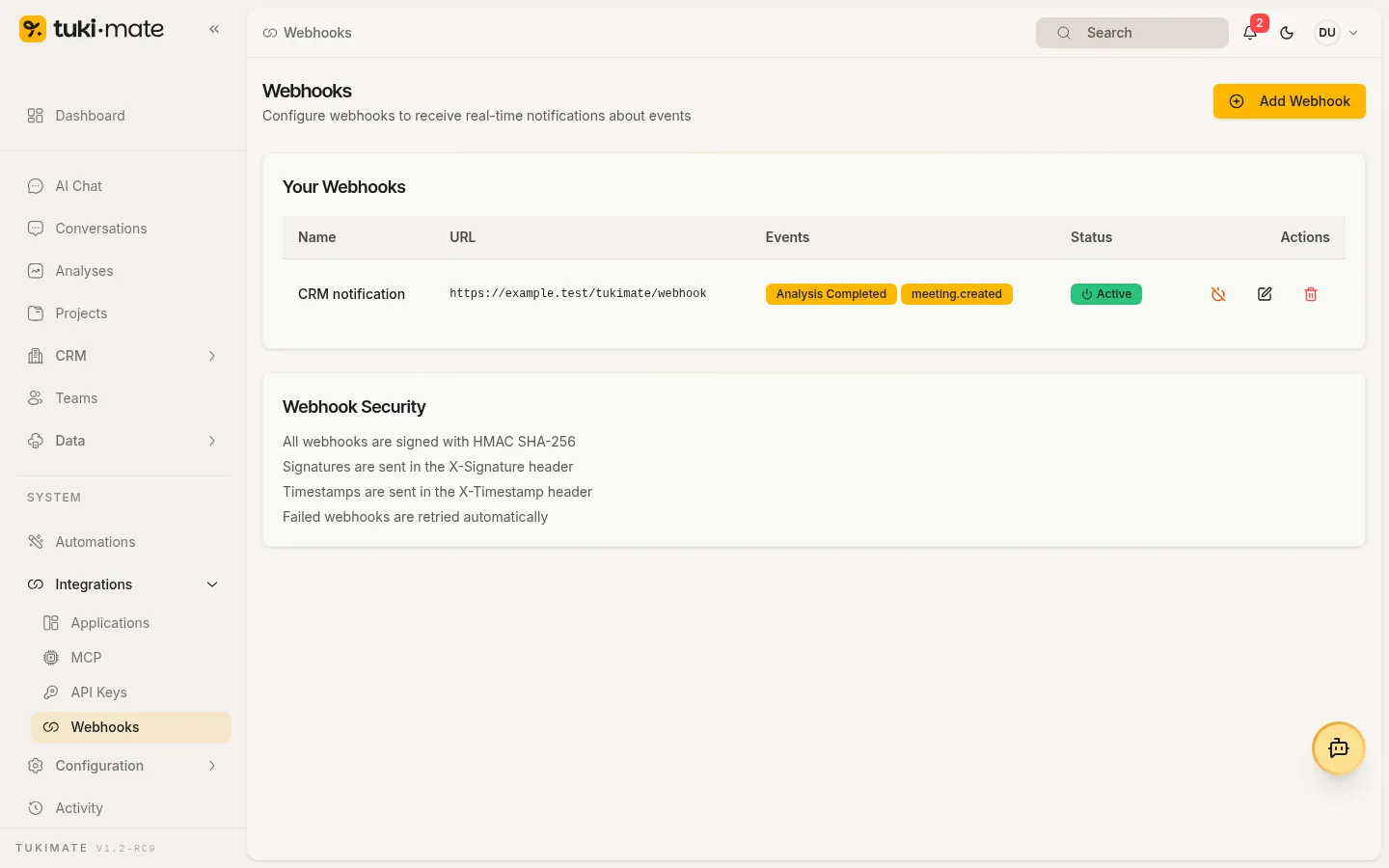
Each webhook shows its Name, URL, the Events it is subscribed to, and its Status. Deactivate and Activate pause or resume it without deleting it.
Create a webhook
- Click Add Webhook.
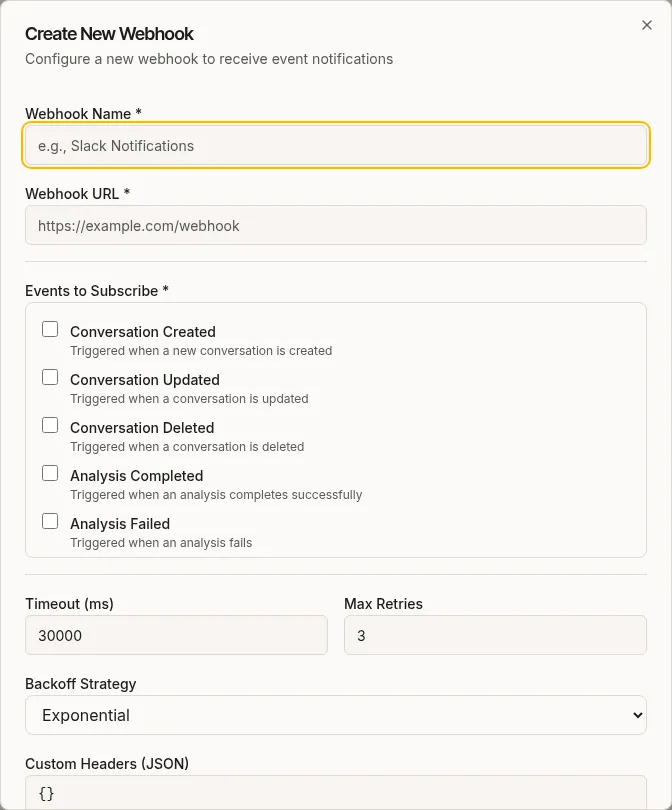
- Type the Webhook Name and the Webhook URL that will receive the notices.
- Under Events to Subscribe, check at least one: Conversation Created, Conversation Updated, Conversation Deleted, Analysis Completed, Analysis Failed, Bulk Analysis Started, Bulk Analysis Completed, or Comment Created.
- Adjust the Timeout (ms), Max Retries, and Backoff Strategy (Exponential or Fixed) according to how your system responds.
- Optional: add Custom Headers (JSON), for example a key your system expects to receive.
- Click Create.
Security and retries
- Every webhook is signed with HMAC SHA-256: the signature travels in the
X-Signatureheader and the timestamp inX-Timestamp. Verify both on the receiving side. - Deliveries that fail are retried automatically, up to the maximum you configured.