

Meeting Bot
Adjust how the TukiMate bot joins your Meet, Teams, and Zoom meetings and send it to a live call.
The TukiMate Meeting Bot joins Google Meet, Microsoft Teams, and Zoom meetings, captures the audio, and generates the transcript. Transcripts are imported automatically as conversations.
Adjust the integration
- In Integrations → Applications, click Connect (or Configure) on the TukiMate Meeting Bot card.
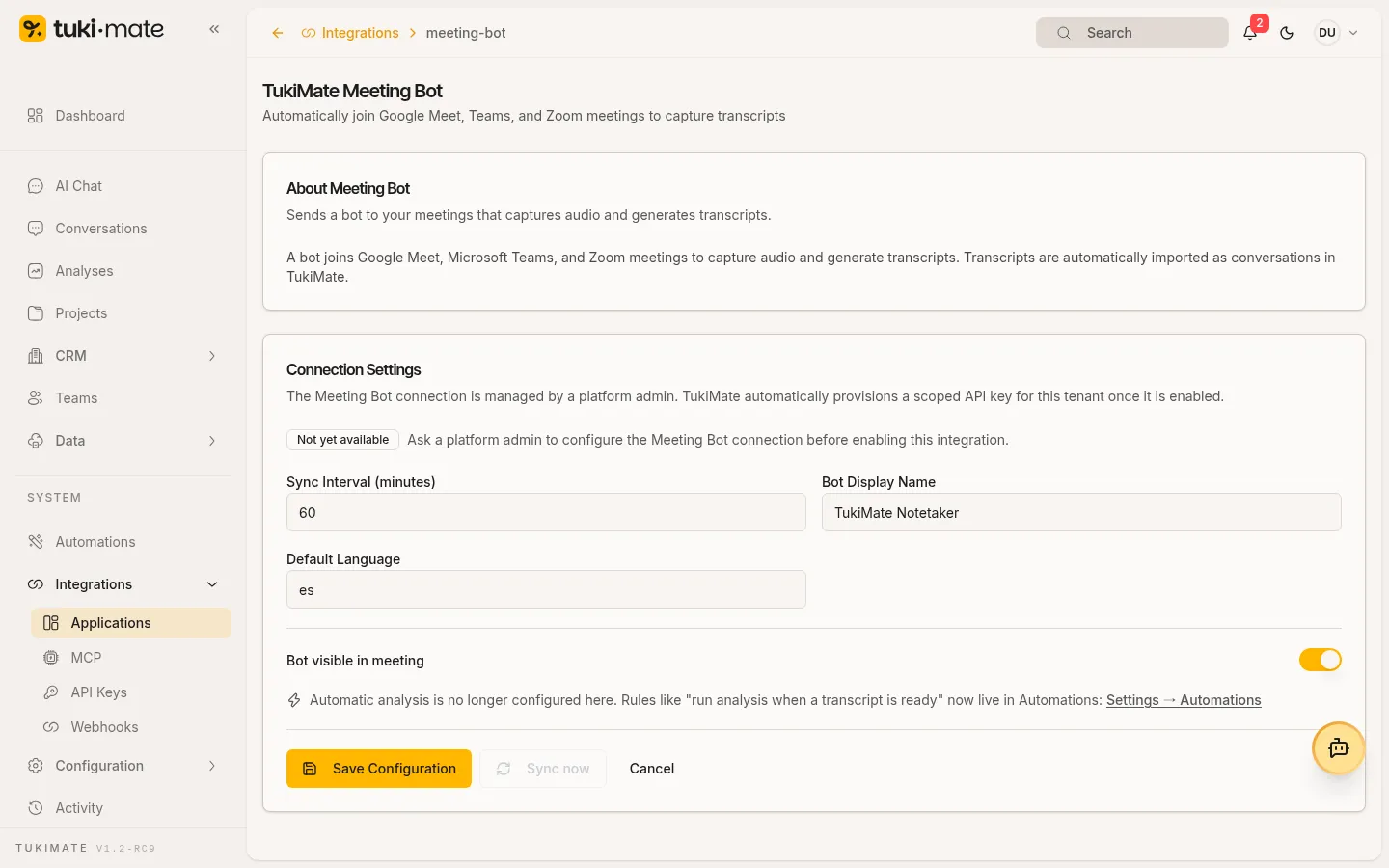
- Set the Sync Interval (minutes).
- In Bot Display Name, type how participants will see the bot.
- In Default Language, enter the language code of your meetings, for example
en. - Turn Bot visible in meeting on or off.
- Click Save Configuration.
Send the bot to a meeting
- In Conversations, click New Conversation and choose Send bot to meeting. The steps are in the New conversation guide.
Automatic analysis
Automatic analysis is no longer configured on this screen: rules like “run analysis when a transcript is ready” now live in Automations. You can get there with the Settings → Automations link on this same screen.